Quick Pakistani mobile operator lookup for ported numbers
Experience a focused lookup tool: SIM Network Finder, by CheckSIM.net, helps Pakistani Android users identify a number’s current operator in seconds. The app queries its network database to detect Mobile Number Portability (MNP) changes and displays official provider logos for instant recognition. With a minimal interface and small footprint, it targets everyday mobile users who want a fast way to check whether a contact is on-net or off-net before calling or texting.
What does SIM Network Finder do?
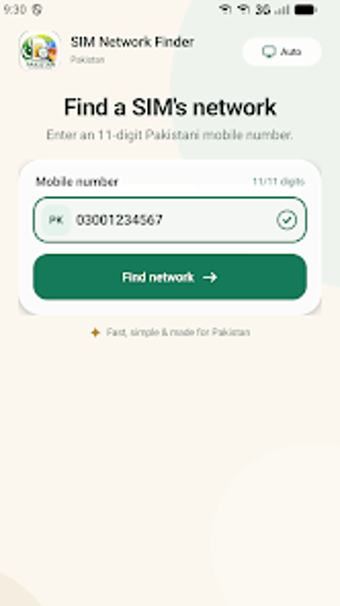
The app performs instant operator identification for Pakistani 11-digit mobile numbers by querying an online database and returning the current provider name and logo. It accepts numbers that start with the 03 prefix and detects ported numbers that no longer match their original prefixes. Users enter a number into a single search field and receive a visual result, making the function suitable for quick checks before initiating voice or SMS communication.
Does it slow down your Android device during lookups?
The app follows a lightweight design philosophy and runs lookups over an active internet connection, so local CPU and RAM impact is minimal compared with offline scanning tools. Because the operation is a short network request rather than a background scan, the app completes queries in seconds and does not keep prolonged background processing, which makes it suitable for use on single- and dual-SIM smartphones without noticeable system load.
Is it safe to use on a personal device?
The tool requires an internet connection to access its lookup service, and it returns only the operator name and provider logo for a submitted number, so it does not write to system files or modify SIM settings. This read-only behavior reduces risk when checking numbers. Nevertheless, the app may display advertisements during use, which is the only runtime element beyond the lookup request itself.
Do I need technical knowledge to operate the app?
The interface is designed for quick, manual lookups: enter an 11-digit number and read the result. No technical configuration or account setup is required, which suits casual mobile users in Pakistan who want immediate confirmation of a number’s current network. Advanced users receive the same direct feedback; there are no layered modes or advanced settings to navigate for a basic operator check.
Practical choice for Pakistani users who need fast operator checks
SIM Network Finder is a practical option for everyday users who need rapid confirmation of a number’s current operator, especially where porting obscures prefix-based assumptions. One trade-off is reliance on an internet connection for real-time lookups and occasional in-app advertisements during use. For quick, on-the-spot verification of whether a contact is on-net or off-net, the app performs reliably and with minimal device impact.